API Keys
ImmPort APIs use scoped API keys for authentication. The legacy username/password token exchange is no longer supported for general automation. API keys are created via the Auth Service UI and passed as a Bearer token in all API requests.
Creating an API Key
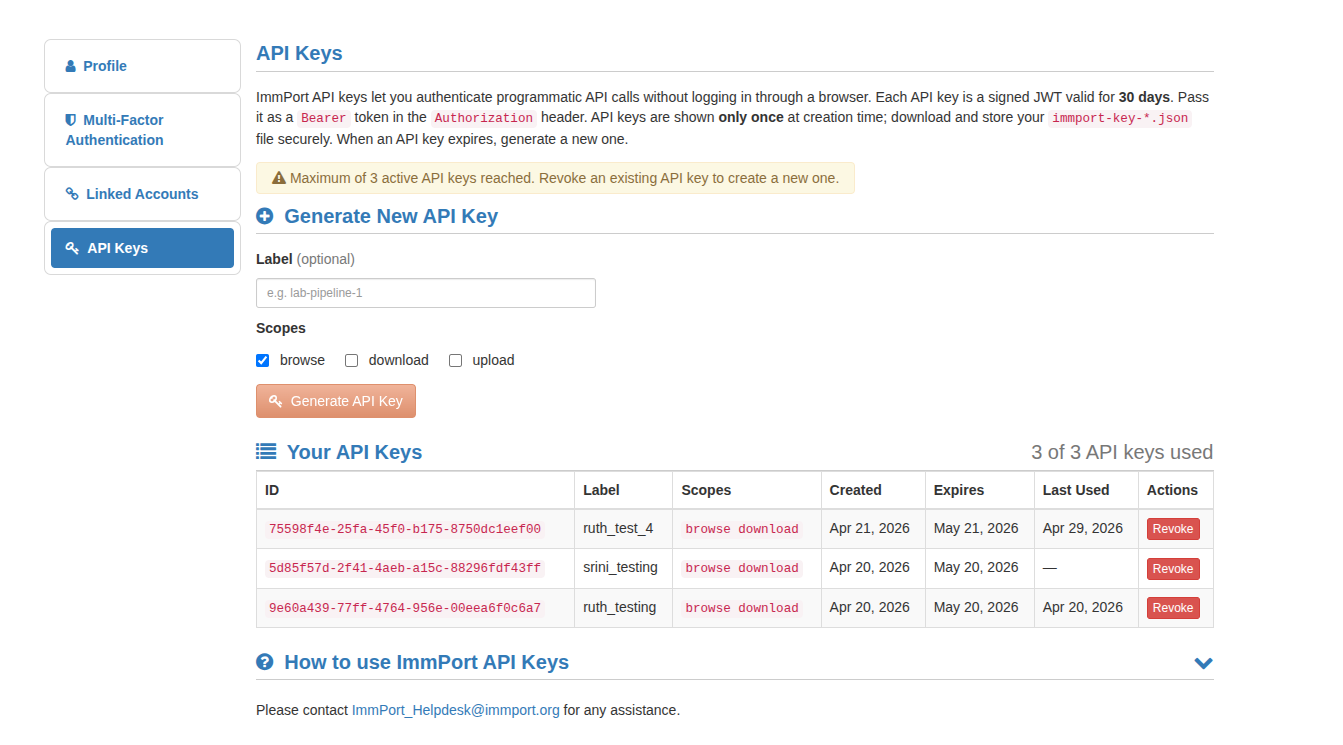
- Open the API Keys page: https://www.dev.immport.org/auth/api/keys
- Click "Create Key". Optionally provide a human-friendly label (e.g.
ci-runneroralice-laptop) to help identify the key later. - Select one or more scopes required for your use case (see Scopes below).
- The UI returns a JSON object containing the
api_keyvalue — copy or download it immediately. The key cannot be retrieved again from the UI.
API Key JSON
The key file returned by the UI has the following format:
{
  "id": "8c3e4394-10a9-46ef-8af9-b6401ba1400d",
  "api_key": "eyJraWQiOiJDbHVV8mUaJKrMDS1mq0NoiMX51yPeUnTp3yLQqZco7iwFYdlCpcZ_0hCGt1NJ974uI7c9uQ",
  "expires_at": "2026-05-21T20:55:24.654328038Z"
}
Using Your API Key
Include the api_key value in the Authorization header as a Bearer token on every request.
curl example:
curl -H "Authorization: Bearer <API_KEY>" \
     "https://www.dev.immport.org/data/query/data/query/study?studyAccession=SDY1"
Recommended pattern for scripts (environment variable):
export IMMPORT_API_KEY="<your_api_key_here>"

curl -H "Authorization: Bearer ${IMMPORT_API_KEY}" \
     "https://www.dev.immport.org/data/query/data/query/study?studyAccession=SDY1"
Scopes
Select only the scopes you need when creating a key:
| Scope | Description |
|---|---|
browse |
Read-only access to study metadata and public/shared resources |
download |
Permission to download shared data files |
upload |
Create and manage data in your workspace and submit uploads (requires workspace/study access) |
Using API Keys with Swagger UI
- Open the Shared Data Swagger UI
- Click the "Authorize" button
- Paste your
api_keyvalue into the Bearer token field and click Authorize
Security Best Practices
Keep API keys secret
- Store keys in secure credential stores or environment variables — never hard-code them in source code.
- Rotate keys periodically and revoke any keys that are no longer needed.
- Use the minimum set of scopes required for your use case.