Flow Cytometry Upload Workflow
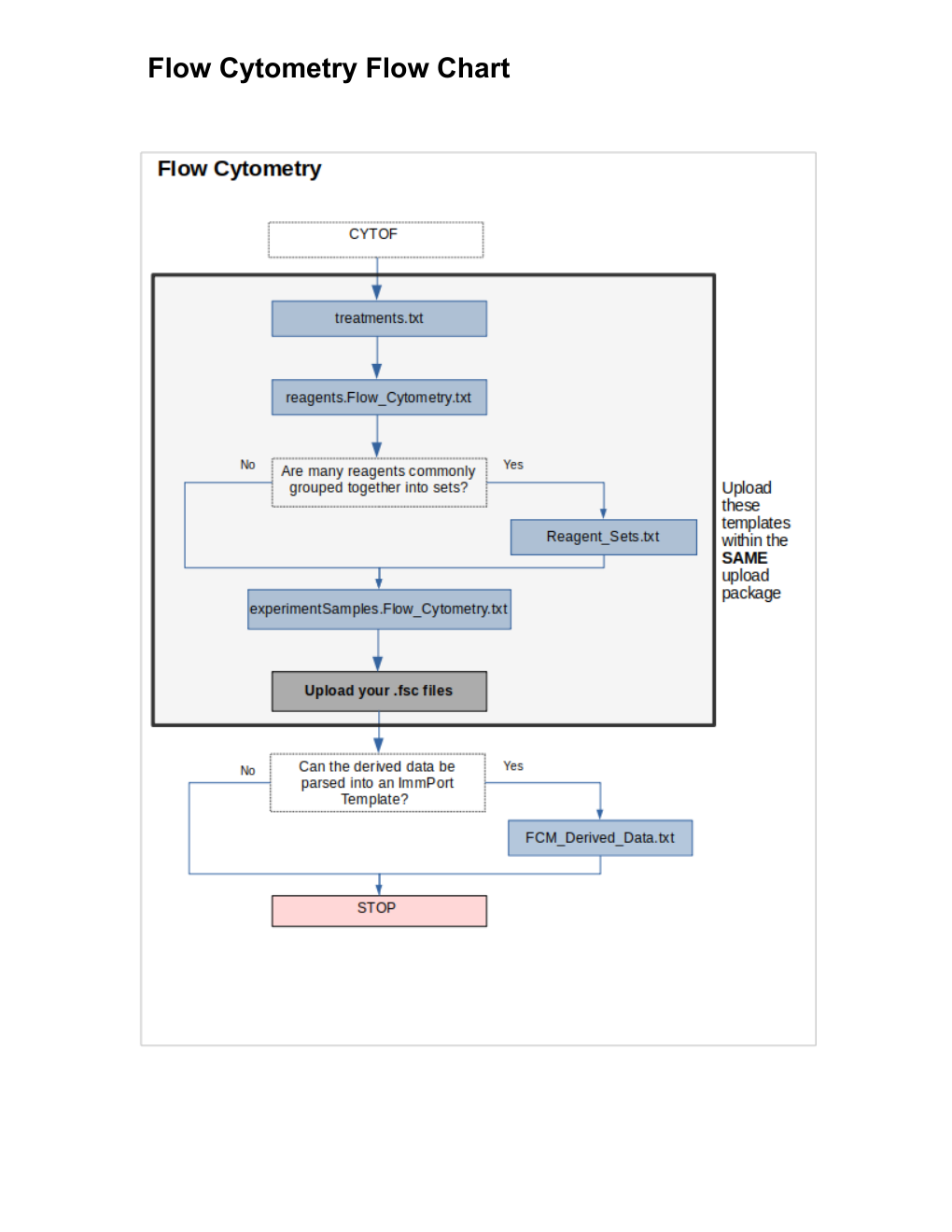
Source: FlowCytometry_FlowDiagram.pdf (Upload Order).
Source PDF labeling inconsistency
The top box of the source diagram still reads "CYTOF" instead of "Flow Cytometry" — it appears to be copy-pasted from the CyTOF diagram without updating that one label. The step sequence below reflects the corrected intent, based on the actual template filenames shown further down the same diagram (reagents.Flow_Cytometry.txt, experimentSamples.Flow_Cytometry.txt, FCM_Derived_Data.txt). Worth flagging to the documentation owner.
Template sequence
- treatments.txt
- reagents.Flow_Cytometry.txt
- If many reagents are commonly grouped together into sets → Reagent_Sets.txt (optional)
- experimentSamples.Flow_Cytometry.txt
- Upload your raw
.fcsfiles - If the derived data can be parsed into an ImmPort template → FCM_Derived_Data.txt (optional)
Upload these within the SAME upload package
treatments.txt, reagents.Flow_Cytometry.txt, (Reagent_Sets.txt if used), and experimentSamples.Flow_Cytometry.txt must be bundled together in one upload package.
Notes
- Structurally identical to CyTOF — both are
.fcs-file-based assays with an optional derived-data template.